Cosine similarity in search engine optimization
Last updated: Sep 02, 2026
- Articles
- › Digital marketing strategy
- › Cosine Similarity in SEO
Before diving in, you don’t have to be a math nerd to understand this topic. As long as you are interested in getting your page ranked among the top results and appearing in AI overviews, all you need to know is the difference between numbers from -1 to 1.
A value of -1 is not good to use, while values between 0.7 and 1 are good to consider after checking your cosine similarity.
What is cosine similarity?
This is the cosine measurement of an angle between non-zero vectors that determines how the vectors are closely similar.
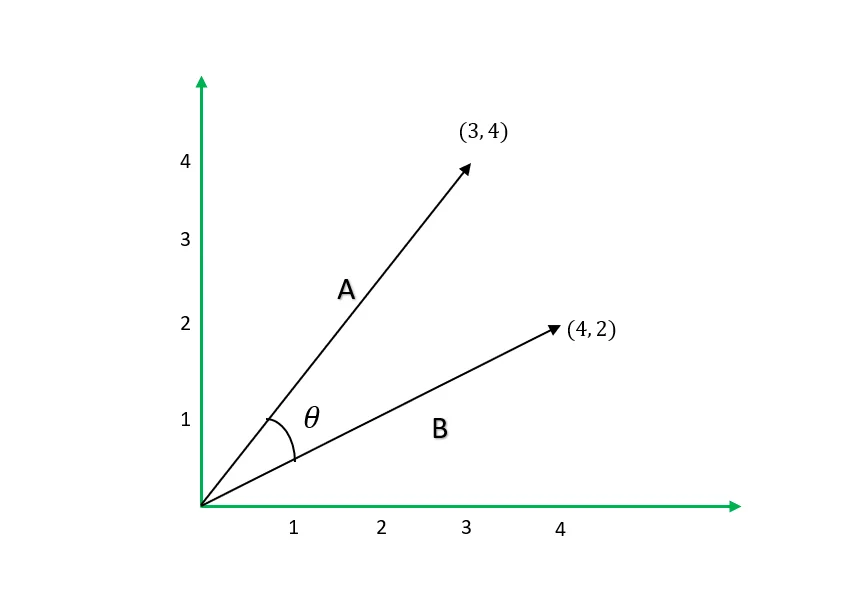
Vector 𝐀 and vector 𝐁 having an angle 𝚹 between them, the cosine similarity will be the Cos(𝚹).
The mathematical formula
Cos(𝚹) = 𝐀⋅𝐁 / ∥𝐀 ∥ ∥𝐁∥
Where 𝐀⋅𝐁 is the dot product of the two vectors, which just tells you how the two vectors project onto one another.
∥𝐀∥ ∥𝐁∥ is the product of the length or magnitude of vector 𝐀 and vector 𝐁.
Example: We find the cosine similarity of two-dimensional vectors 𝐀 and 𝐁 in the diagram below.
 Cos(𝚹) = 𝐀⋅𝐁 / ∥𝐀 ∥ ∥𝐁∥
𝐀⋅𝐁=3×4 + 4×2=20
∥𝐀 ∥ ∥𝐁∥ = sqrt(25) × sqrt(20) = 5 × sqrt(20)
Cos(𝚹) = 20 / ( 5 × sqrt(20) )
Cos(𝚹) =0.8944
The measurement always arranges from -1 to 1, where 1 shows that the vectors are similar while the -1 shows that the vectors are opposite of each other or totally not similar.
So when it comes to words, a cosine similarity of 0.5 indicates a moderate level of similarity between words, meaning they share some common features or terms but are not identical.
Cosine similarity significance in SEO
Implementing this simple algebra during your keyword research analysis can help by giving you closely related words, which you can use to get your page ranked for the same search intent instead of choosing from a broad list of keywords.
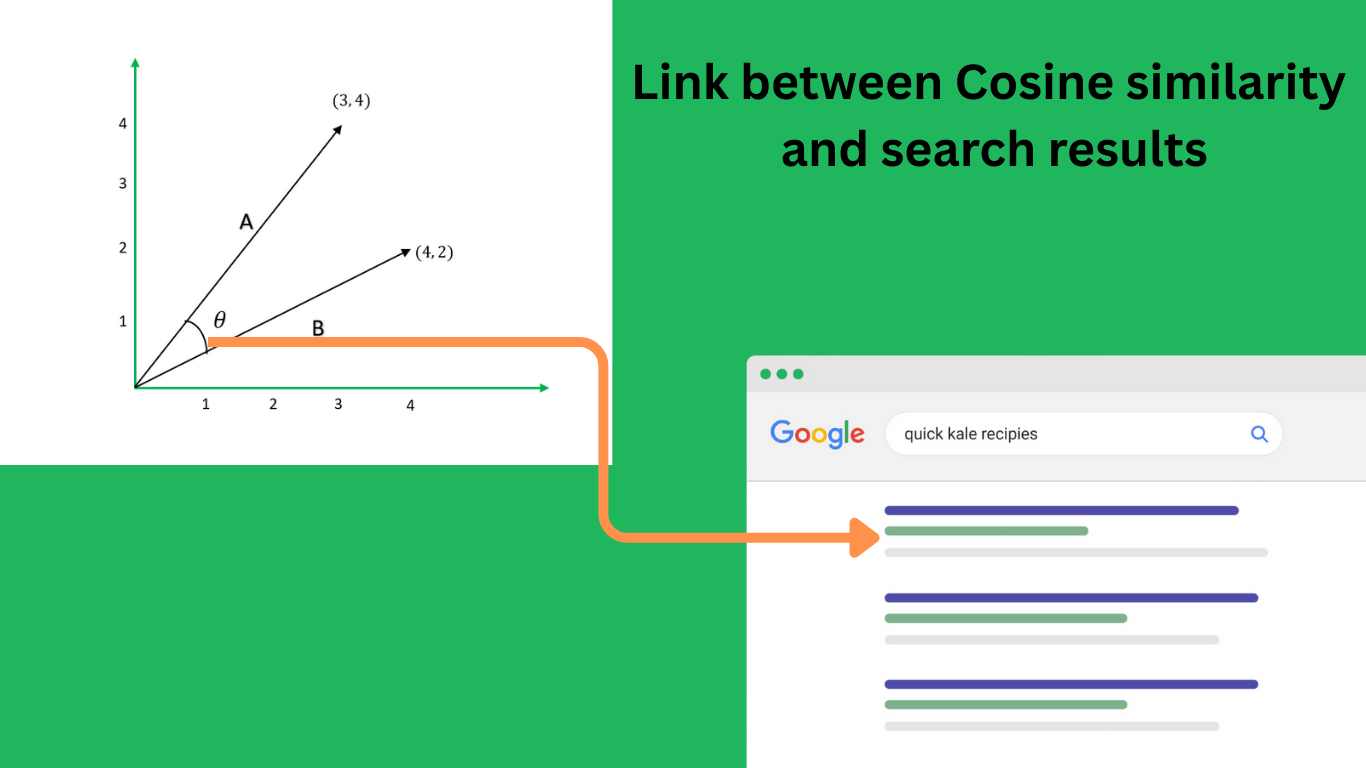
Practical use of cosine similarity
Apart from keyword research analysis, cosine similarity is useful in the following SEO tasks:
- Comparing your page with competitors’ pages – For this, consider both the term frequency-inverse document frequency (TF-IDF) and cosine similarity to see how important terms are on their pages and how similar they are to your page.
- SERPs analysis - Using queries from Google search console(GSC) that gives you impressions, you can compare how search engines consider those queries similarity to your page and to pages ranking higher than you. The results will give you a hint to improve your content quality or work on authority.
- Avoiding keyword cannibalization – Identify which pages within your website compete for the same keyword and might confuse search engines.
- Interlinking decisions – Help with getting words on one page that you can place a link on that points to another page on the site relating to the word.
Search engines use of numerical vectors
Search engines are machines that work primarily with numbers to understand the semantic meaning of text. By finding words or phrases with the highest cosine similarity, you can optimize your page to rank for all queries related to those words.
Converting text to vectors
Phrases can be converted to vectors by counting word occurrences on it.
For example, if we have “SEO services” and “SEO audit” as keywords in our corpus, we can create a vocabulary {SEO, services, audit} from them after tokenization.
To get vectors of these two keywords, we will count how many times a word in our vocabulary appears in a keyword:
SEO services → [1, 1, 0]
SEO audit → [1, 0, 1]
From the conversions above we now have numerical vector of the words and can calculate their cosine similarity to find how similar they are as our keywords
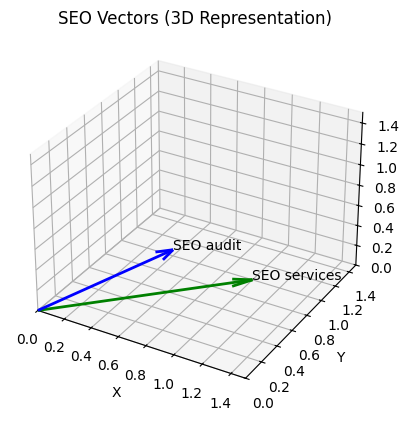
Let
SEO services → 𝐀
SEO audit → 𝐁
Cos(𝚹) = 𝐀⋅𝐁 / ∥𝐀 ∥ ∥𝐁∥
𝐀⋅𝐁=1×1 + 1×0+ 0×1 =1
∥𝐀 ∥ ∥𝐁∥ = sqrt(2) × sqrt(2) =2
Cos(𝚹) = 1/2 =0.5
Word embedding
Doing the math above manually would be hectic or nearly impossible in real-world scenarios with high-dimensional vector spaces.
The manual math is also weak for short keywords because it ignores important factors such as weighting of words and subword relationship. This is where word embedding comes in.
Word embedding is the computational implementation of the distributional hypothesis, where computers use natural language processing (NLP) to convert words in a corpus into numerical vectors to understand their semantic meaning and relationships.
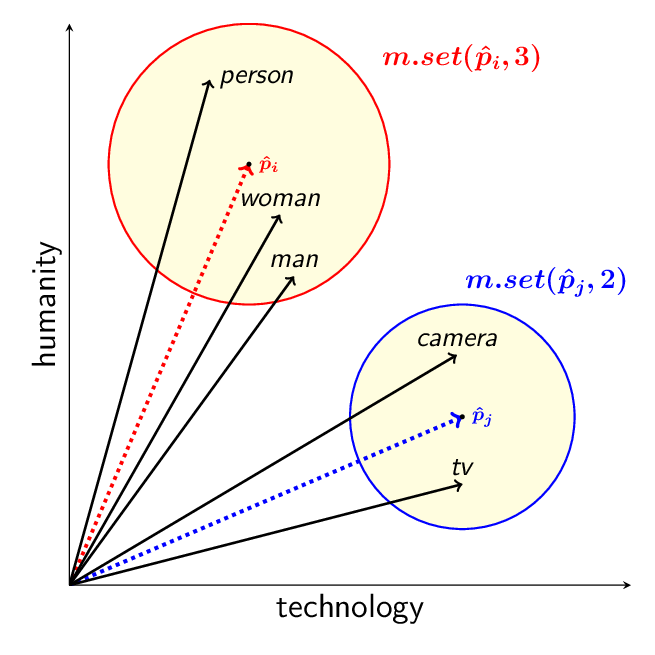 Source: Conley, T. & Kalita, J. (2021).Language Model Metrics and Procrustes Analysis for Improved Vector Transformation of NLP Embeddings.
There are many tools and libraries for word embedding, such as Word2Vec, developed by Google researchers. Word2Vec uses a continuous bag-of-words (CBOW) and skip-gram approach to learn static word representations based on context.
Implementing this technique is practical because Google has been using it for ranking pages on their search engine.
Implementing word embedding
I have tried using both Word2Vec and Transformer-based embedding models, but I settled on the Transformer-based approach because I had access to a pretrained transformer model all-MiniLM-L6-v2 that encodes phrases efficiently using sentence-transformers.
How do you get the generated word embeddings?
Example, suppose I want to get a collection of keywords (corpus) from competitors in who offer SEO services, then determine the similarities between these keywords.
To save time and effort on this work, I wrote Python script using a Transformer-based embedding model.
The script will extract a collection of keywords (corpus) from competitors website, generates embeddings using the Transformer-based model and then calculates cosine similarity between the keywords in that corpus.
Keyword analysis using cosine similarity
So what I basically always do is search for something in my niche, such as “SEO services in Kenya”, on Google and get the top-ranking websites for this phrase. I then collect the exact URLs that were ranked, maybe the top 5 or 10, because that is where you want to be.
Note: You can also use other tools such as Semrush to get these URLs, but having your primary data is always better.
With the URLs available, just import them into the script and generate a full list of keywords with the cosine similarity calculated between each other.
Your job now is only to sort the ones that have high cosine similarity and use them to optimize your page.
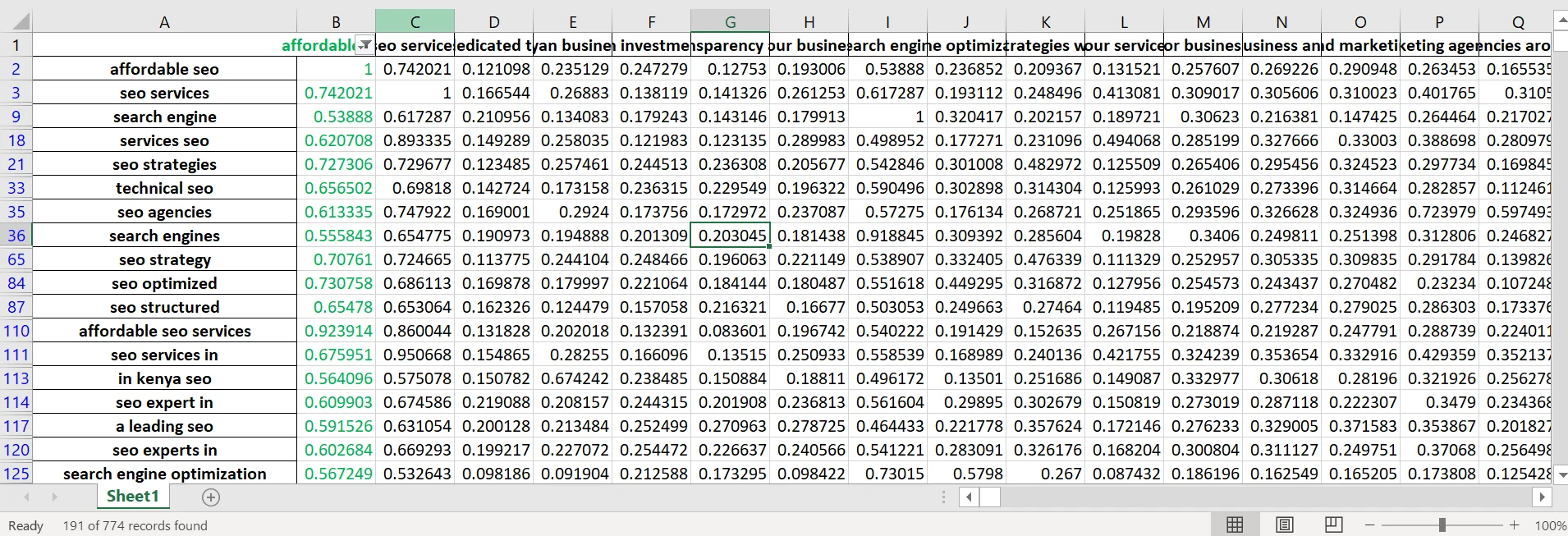
For example, I got 774 keywords from three competitors, and when I chose the one I thought was relevant to my page, i.e., “affordable SEO,” and filtered with the criteria of related keywords having a cosine similarity greater than or equal to 0.5, I ended up with just 191 words that I can use on the same page.
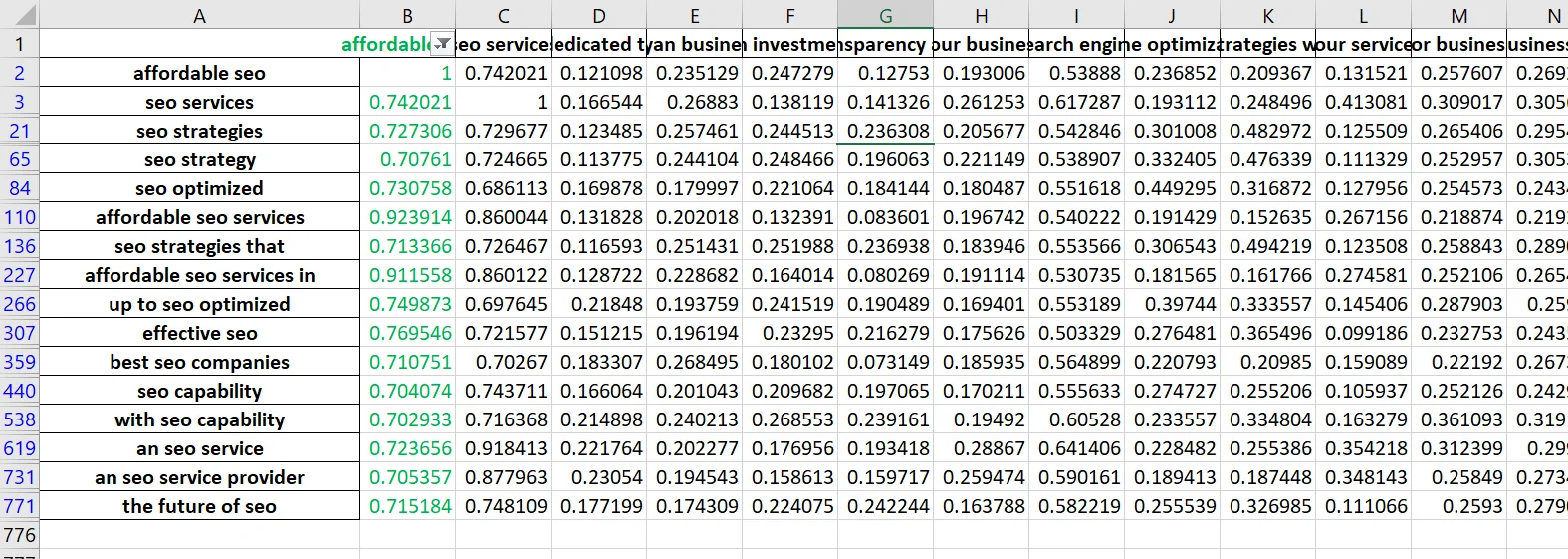
 I can reset my filter criteria and get only those that are much closely related e.g greater or equal to 0.7 cosine similarity and have 16 keywords that will have similar search intent ranking.
For every keyword you find useful and having good cosine similarity, always try and find term frequency-inverse document frequency (TF-IDF) to know its relevance value on your page. Hopefully you find this idea helpful.